
Clockwork hands: coding agents
hk gives coding agents, the clockwork hands, a narrow gangway to the ship's checks and fixes, and one ye can inspect. They can read structured CLI output wherever they sail, or hail the MCP server for persistent runs, cancellation, paged logs, diagnostics, diffs, and the interactive dashboard.
Draw up a starting point without touching any host configuration:
hk agent instructions --target codex
hk agent hooks --target claude-code
hk agent mcp --target vscode
Mind Claude Desktop: it uses global host configuration and does not reliably launch servers from the project directory. Replace /absolute/path/to/project in its generated snippet before ye install it.
Every generator writes only to stdout. Look the result over, then place or merge it into the right host configuration yerself.
Sailing a clockwork hand safely
- Look the ship over and ask for a passage plan.
- Keep the work to the cargo that changed. Use
--files0-fromwhen exact filenames matter, and--cdto choose the project root. - Inspect each command's effects on the cargo, and prefer safe execution.
--saferefuses a run before any step starts if a runnable command is unknown or destructive. - Read the JSON or JSONL diagnostics, and keep the raw output when ye investigate parser warnings.
- Review the resulting diff before ye accept a fix.
Without MCP, here's a portable way to hail hk:
{
  git diff --name-only -z
  git diff --cached --name-only -z
  git ls-files --others --exclude-standard -z
} | hk run check --files0-from - --safe --format jsonl
Hailing over MCP
hk mcp --root <project> starts a STDIO MCP server. It does not listen on a network port, so nobody hails it from across the water. The root is fixed when it starts (plus any roots the host supplies), and its tools cannot bring aboard arbitrary filesystem paths or unrestricted shell commands.
Draw up the configuration for a supported host:
hk agent mcp --target codex
hk agent mcp --target claude-desktop
hk agent mcp --target claude-code
hk agent mcp --target vscode
Codex, Claude Code, Claude Desktop, and VS Code can all work the structured MCP tools. Hosts that implement MCP Apps also get the hk dashboard; other hosts get the same structured content and a useful text fallback.
A rich dashboard for the quarterdeck
The dashboard shows the current run, each step's status and timing, normalized diagnostics grouped by file, searchable logs, and the resulting diff. The only actions that lay hands on the cargo are confirmed safe fixes, and the server stays the source of truth.
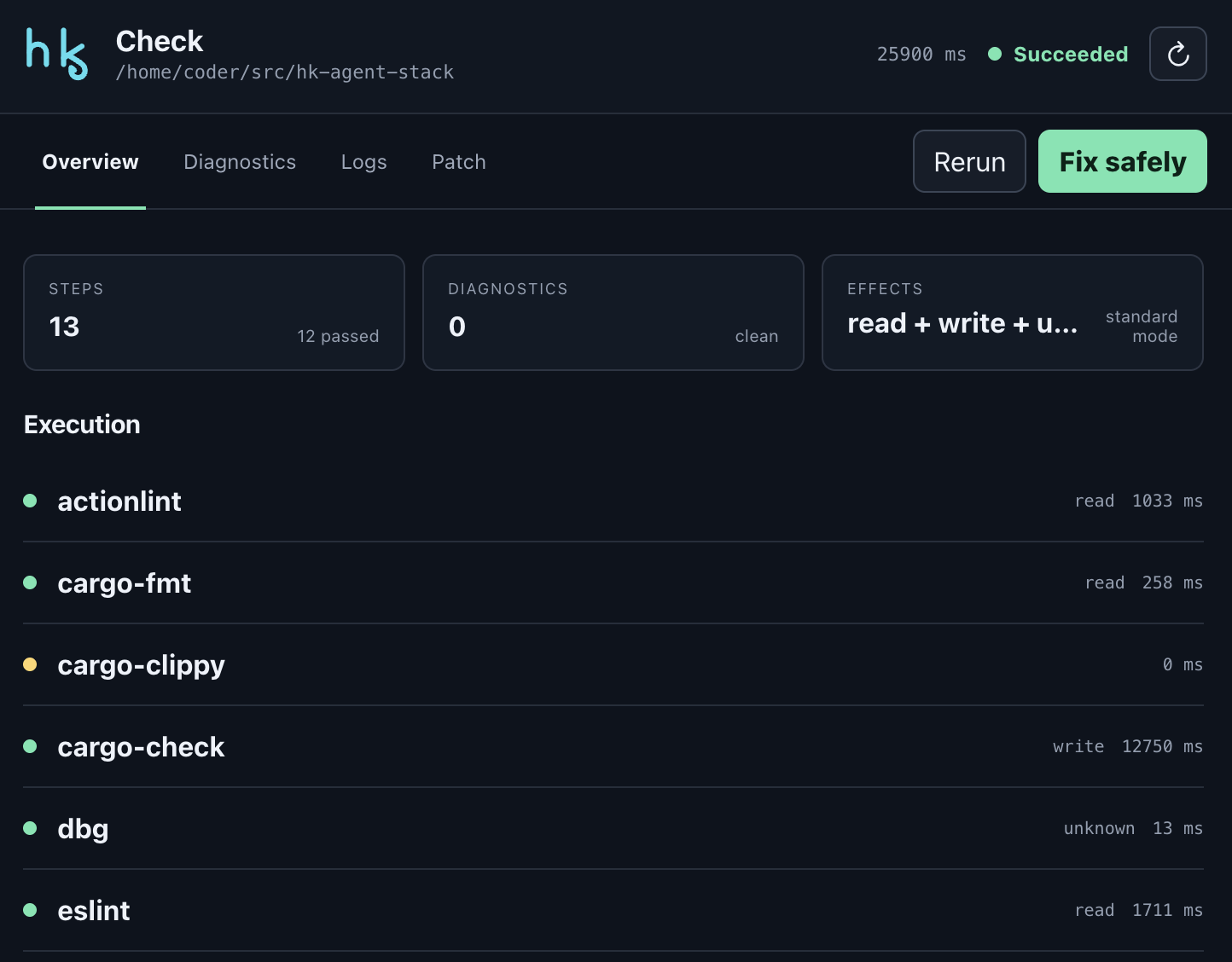
A completed check of the whole ship in an MCP Apps host, with each step's timing and each command's effects.
See the dashboard demo runbook for a deterministic project fixture, one that sails the same course every time.
Rigging ChatGPT Desktop
ChatGPT Desktop can reach the local STDIO server through OpenAI's Secure MCP Tunnel. Build hk, create the demo fixture, and initialize a local-STDIO tunnel whose MCP command is the absolute hk mcp --root <fixture> command. Run tunnel-client doctor before ye start the tunnel, then create a development-mode app in ChatGPT and select the tunnel.
The tunnel is a development bridge, a gangplank for development work. hk itself ships no HTTP listener, hosted service, or authentication system.
Sailing instructions and hooks
Use hk agent instructions for a short block of sailing instructions fit for AGENTS.md, CLAUDE.md, or a generic agent prompt. Use hk agent hooks for an optional Codex or Claude Code stop hook, or a VS Code task. Hook output is deliberately a snippet, not an automatic installation: inspect what it does to yer workflow before ye enable it.